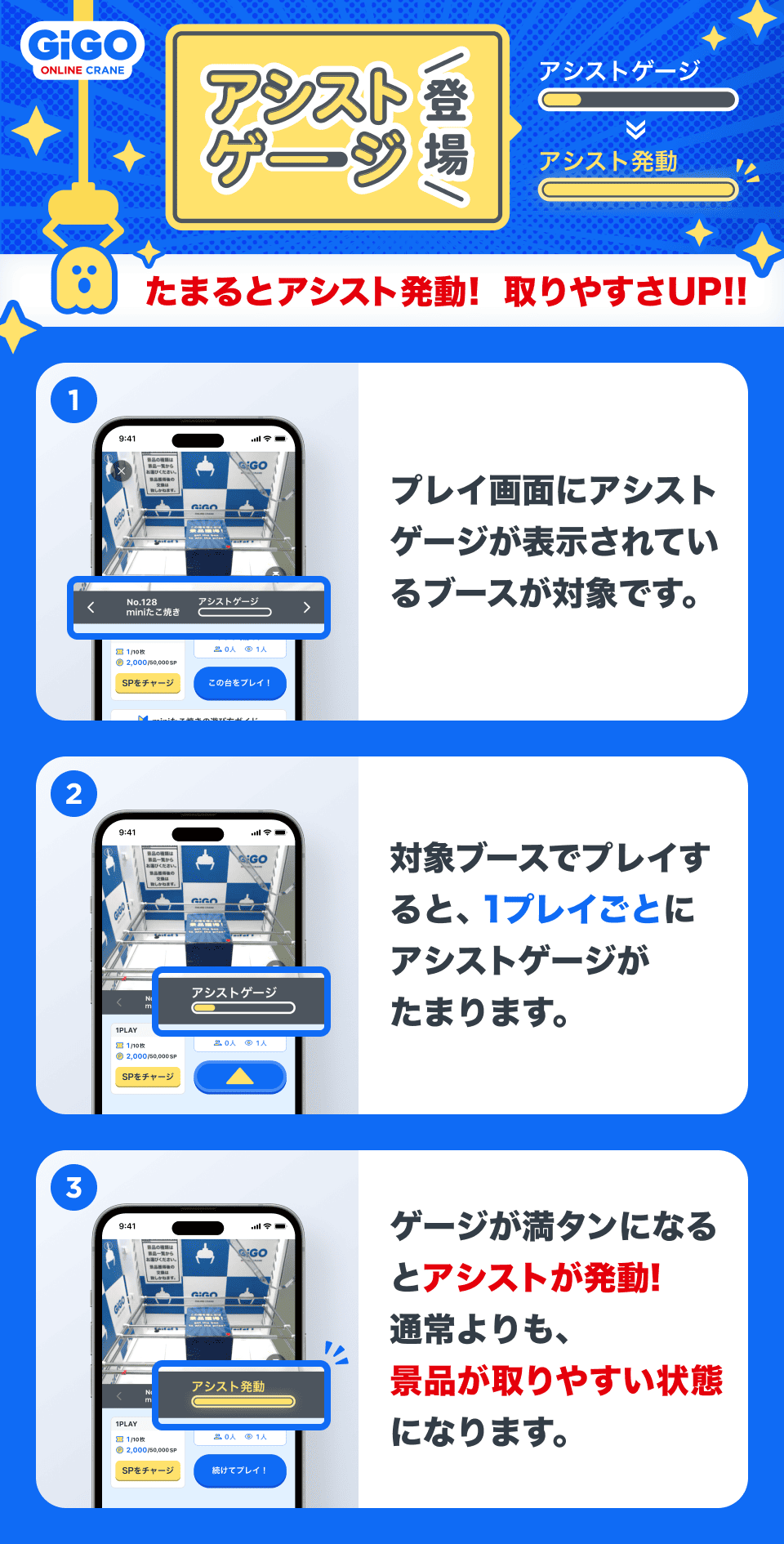
アシストゲージ機能

●How to Turn the Assist Gauge On/Off
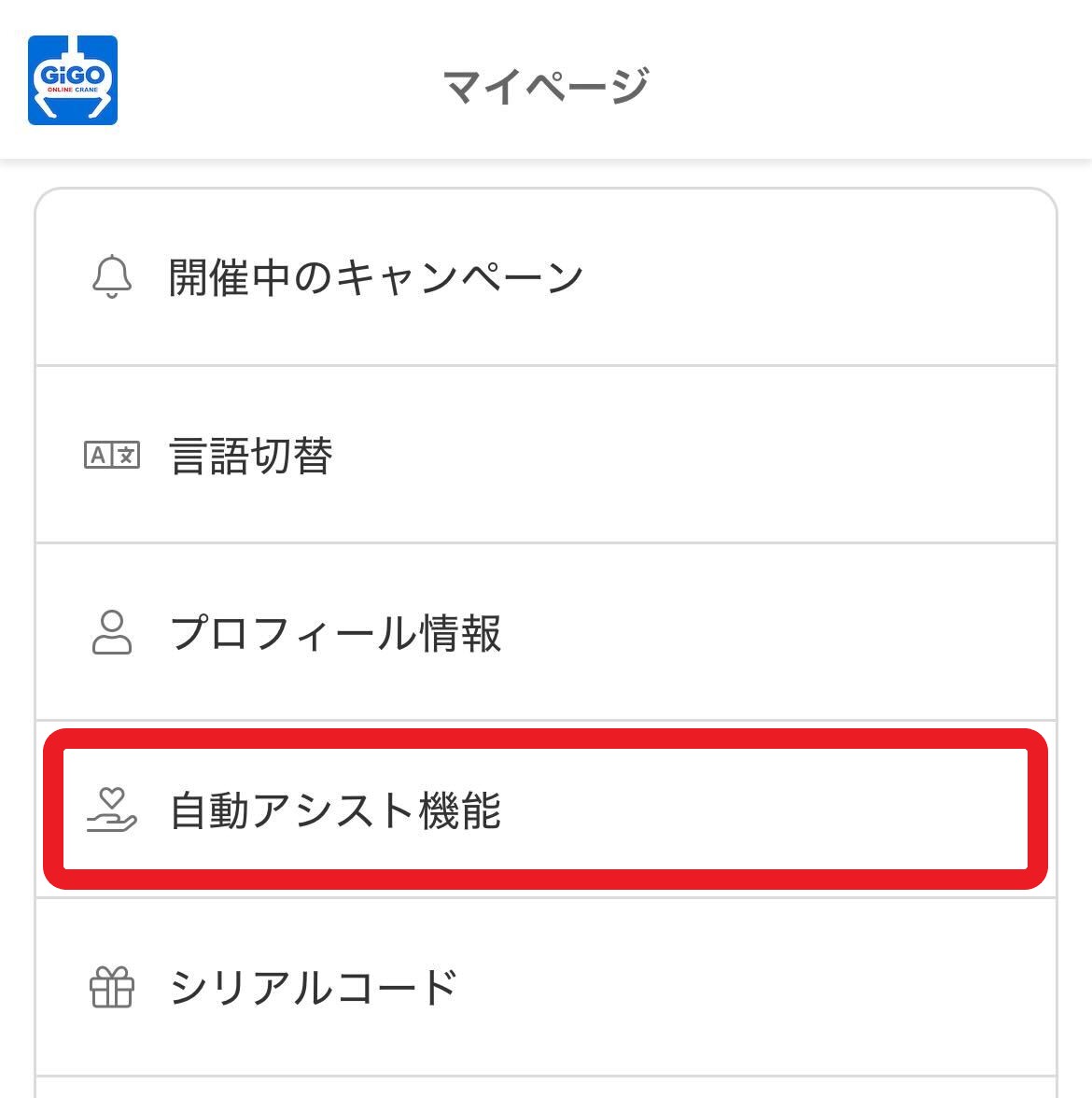
An “Auto Assist Function” option will be added to My Page.
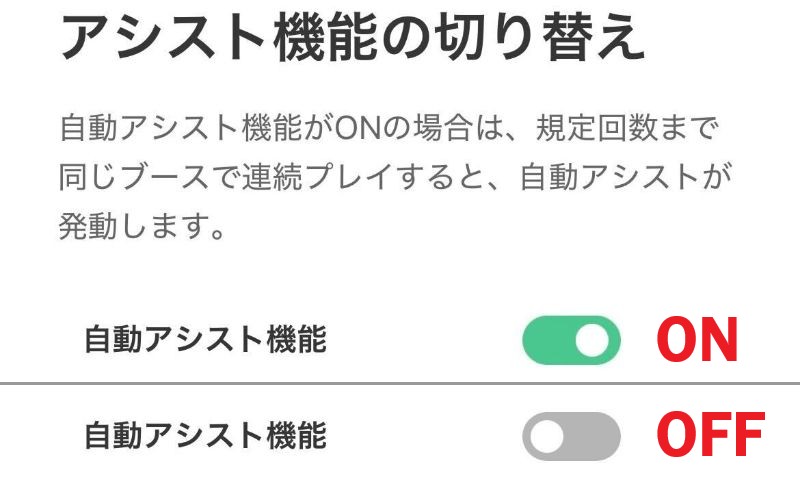
You can tell the current status by the color: green (ON) or gray (OFF).
Important Notes

  • The Assist Gauge increases when you play the same prize on the same machine consecutively.
    *If you interrupt play or exit the booth, the Assist Gauge will reset to 0.
  • This applies to all plays that consume SP (paid or free) or tickets.
  • The number of plays required to fill the Assist Gauge is random. We do not guarantee early acquisition.
  • You can toggle the Assist Gauge feature ON/OFF via “My Page” > “Auto Assist Function”.
    →When ON, the Assist Gauge will be displayed at eligible booths, and it will fill up with each play.
    →When OFF, the Assist Gauge will not be displayed at eligible booths, and the assist will not be activated.
  • Even if the Assist Function is turned OFF, staff may provide assistance depending on the situation.

Translated with DeepL.com (free version)